Bitcoin is a commodity money, a digital version of gold, launched in 2009. It is native to the internet and, like gold, does not require 3rd parties to transact.
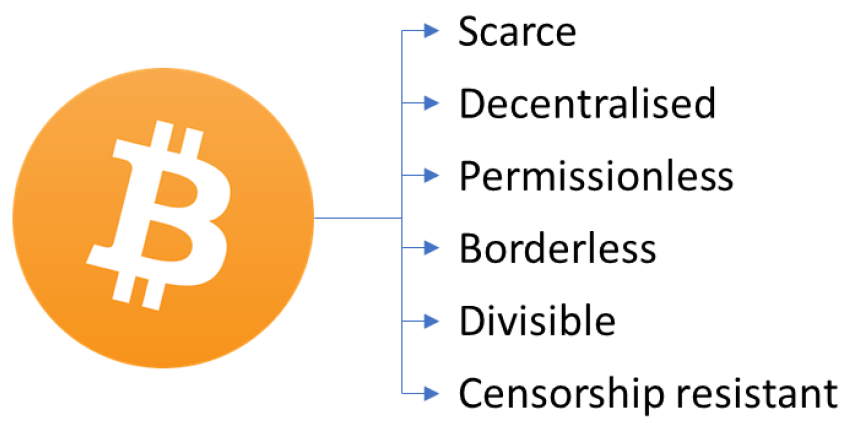
No banks, no governments, no owners and also no borders. Bitcoin is a global, decentralised and censorship-resistant payments network. It has a fixed supply which means the end of monetary inflation.
When you receive Bitcoin you are receiving an asset, not someone else’s liability, aka debt.
RELIABLE Money
Bitcoin is a currency that gives you complete ownership. Everyone can own and accumulate this asset.
Bitcoin can be sent anywhere in the world, quickly and cheaply.
It has no need for a 3rd party like a bank or payments provider to be involved.
A true financial revolution enabled by technology.
"It's Too Expensive / The Price Has Dropped Too Much"
Volatility
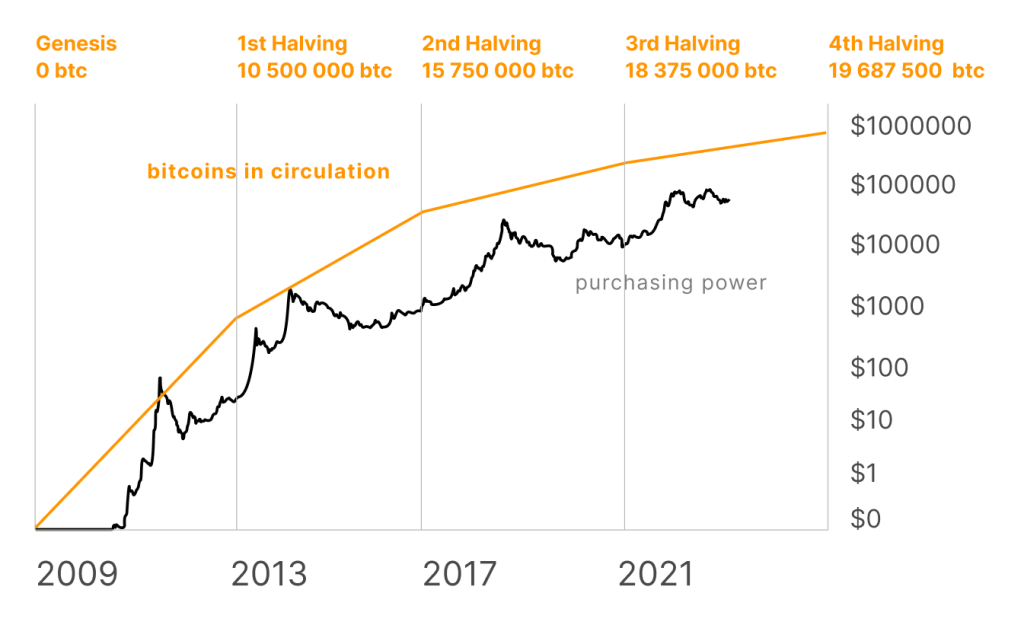
In the short term, the value of Bitcoin can fluctuate a lot, but over time its price trends upwards.
Furthermore, the short-term volatility of the Bitcoin price has been falling over time as more people are using it.
Bitcoin’s full historical price chart.
Bitcoin is scarce
Bitcoin’s code locks in a rule that there can only ever be 21 million Bitcoin. Each Bitcoin is divisible into 100 million subunits called ‘Satoshis’, or ‘Sats’ for short. This scarcity underpins Bitcoin’s value and makes it the first ultra-hard money that is inherently globally transactable.
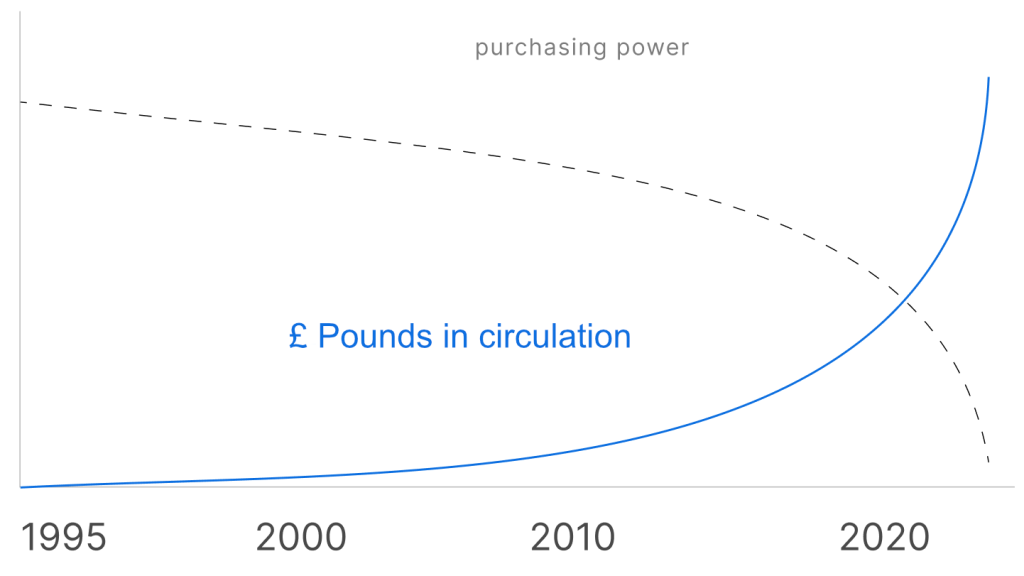
GB Pounds (£), on the other hand, can be created out of thin air by the central bank and retail banks and there is no upper limit on the amount in circulation. This allows governments and banks to extract value through inflation, to the cost of everyone else.
The more pounds in circulation, the less purchasing power each pound has. Printing money does not magically create more goods and services.
The number of pounds in circulation goes up forever.
How To Quickly & Easily Accept Bitcoin
How to get started Accepting Bitcoin
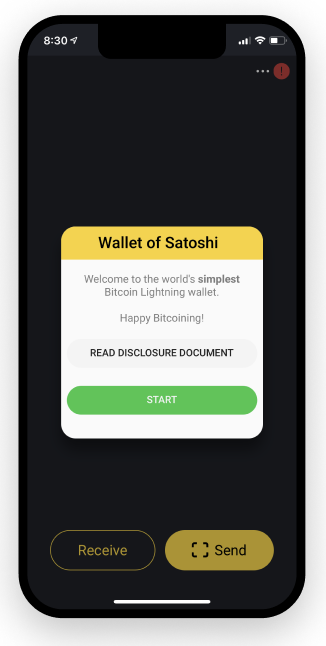
1. Download an app
Bitcoin is an open network and there are many applications (aka “wallets”) that allow you to receive, send and store bitcoin.
To get started, the Wallet of Satoshi app is recommended.
2. Create and backup wallet
Follow the instructions to backup your wallet to your email (red exclamation mark on the top right).
You will receive 2 words to your email to confirm the backup.
If you lose access to the device, you can restore your wallet with your email again to recover the funds.
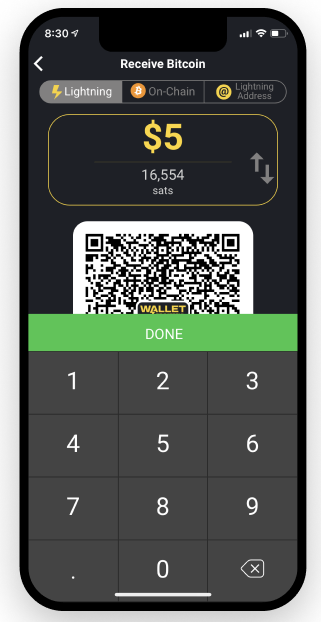
3. Create an invoice
Press the Receive button to generate a new invoice, or set the amount to receive by pressing ‘Add Custom Amount’.
You can define the amount in Pounds or Sats and get price conversions in real-time.
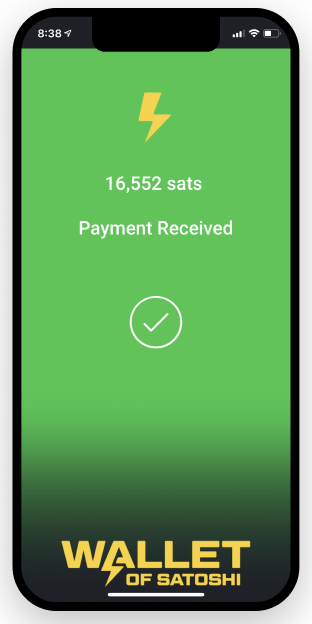
4. Receive Bitcoin
Show the generated QR code for the customer to scan.
Once paid by the customer, your wallet will notify you that the payment has been received.